How do I set up Cisco Meraki with Passbeam?
Meraki connects over standard RADIUS, for Wi-Fi and wired alike. The access points and switches both send RADIUS from the site's own public address, so one RADIUS client registration on the site's Transports tab covers everything at the site. Switch standard RADIUS on there, then take the two server addresses and the shared secret from the Connect tab. RADSec from Meraki isn't supported yet.
Wi-Fi. In the dashboard, go to Wireless → Access control, pick the SSID and choose Enterprise with my RADIUS server. WPA2 only is fine.
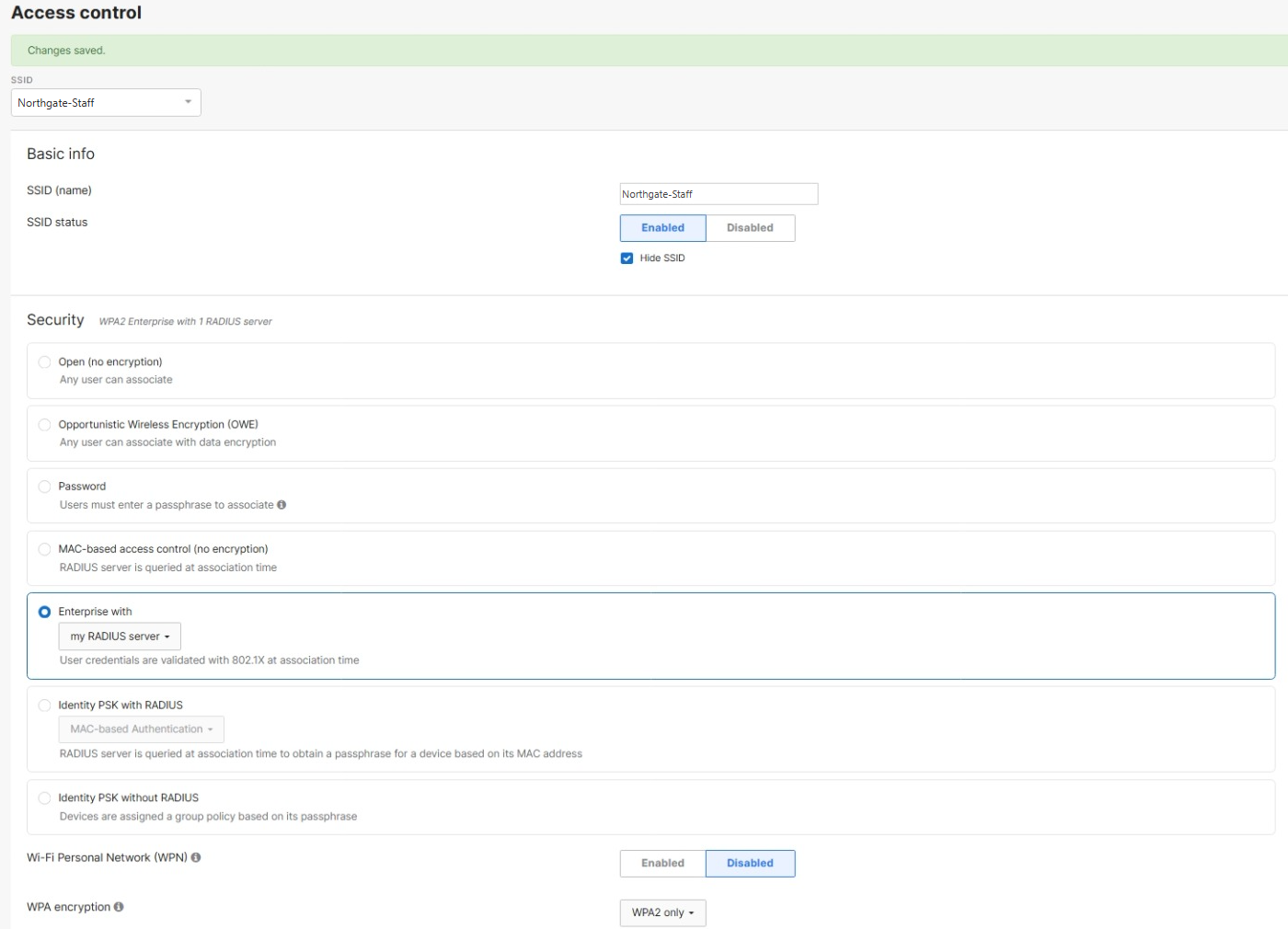
Further down the same page, add both Passbeam servers under RADIUS servers on port 1812 with the shared secret, and leave RadSec unticked. Leave Dashboard RADIUS proxy off, so the access points send from the site's own address. Add both servers again under RADIUS accounting servers on port 1813; that is what fills the Sessions tab.
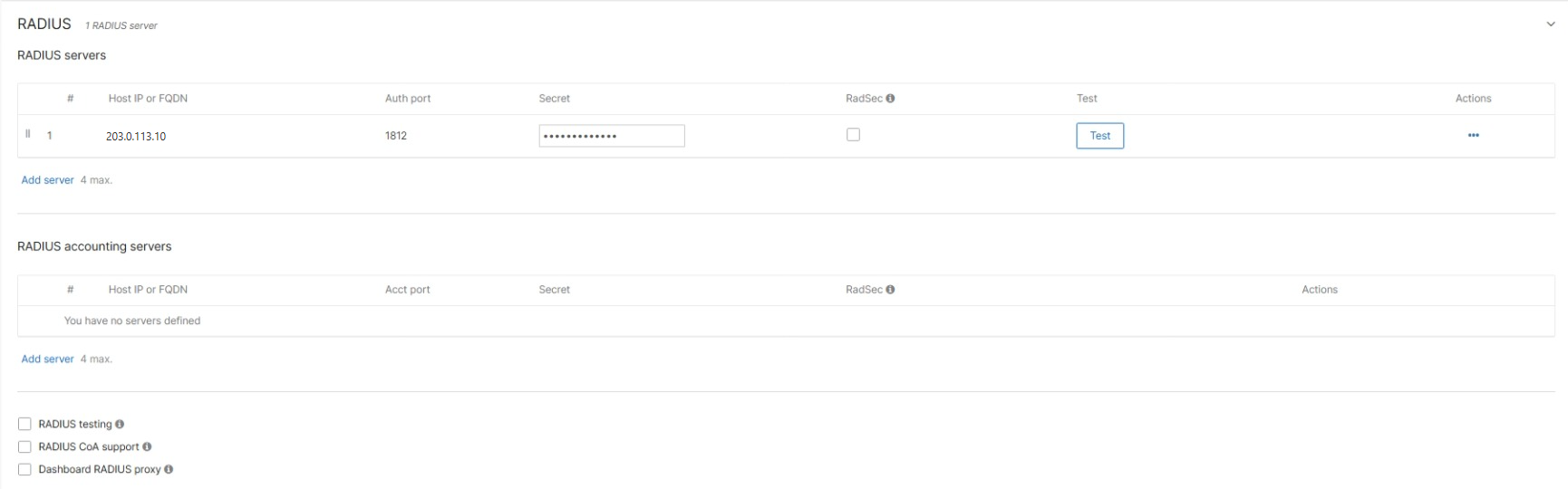
The Test button on that row will always report a failure. It tests with a username and password, and Passbeam only accepts certificates. "The RADIUS server was reached but your credentials were incorrect" means the address and secret are right. It also shows in the Authentications tab as a refused attempt, which is expected.
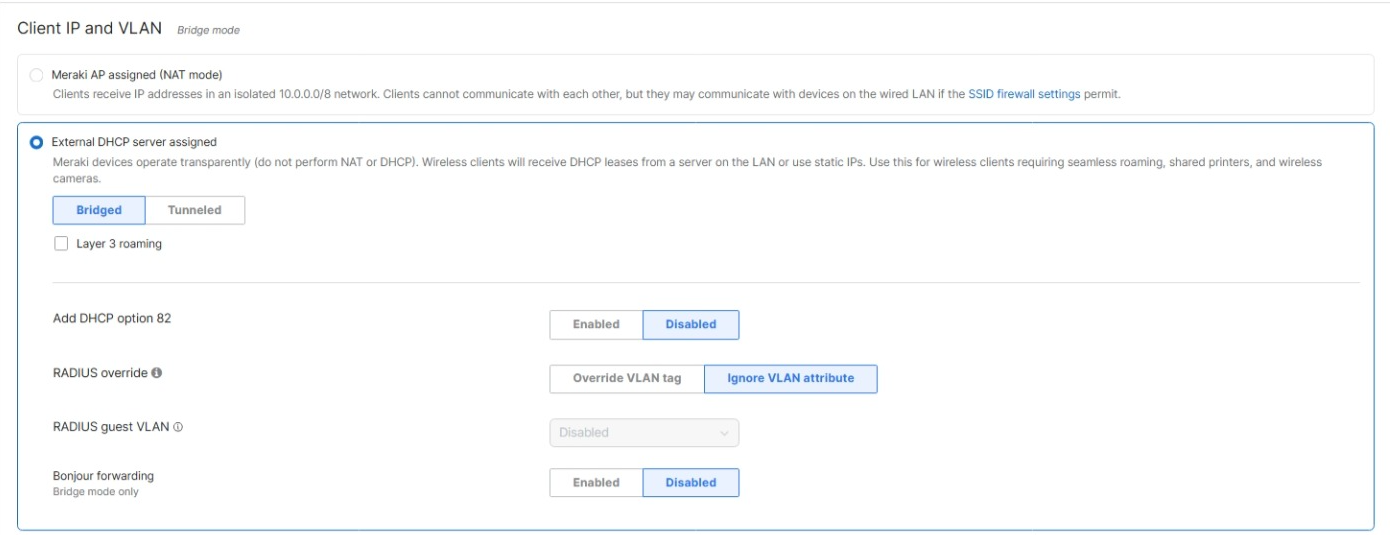
If you want Passbeam to choose the Wi-Fi VLAN, the SSID has to be in bridge mode: Client IP and VLAN → External DHCP server assigned, then RADIUS override → Override VLAN tag. In NAT mode there is no VLAN to choose, and the control isn't there.
Wired. Go to Switching → Access policies → Add an access policy. Set Authentication method to RADIUS server and add both Passbeam servers with Auth ticked on port 1812.
Set Policy Type to 802.1X. It starts as None, and a policy saved like that never asks a device to authenticate, so everything just works and nothing reaches Passbeam. Host mode Single-Host is right for one device per port. The Guest and Failed Auth VLAN fields are where a device that fails, or never answers, lands; that is the switch's decision, not Passbeam's.
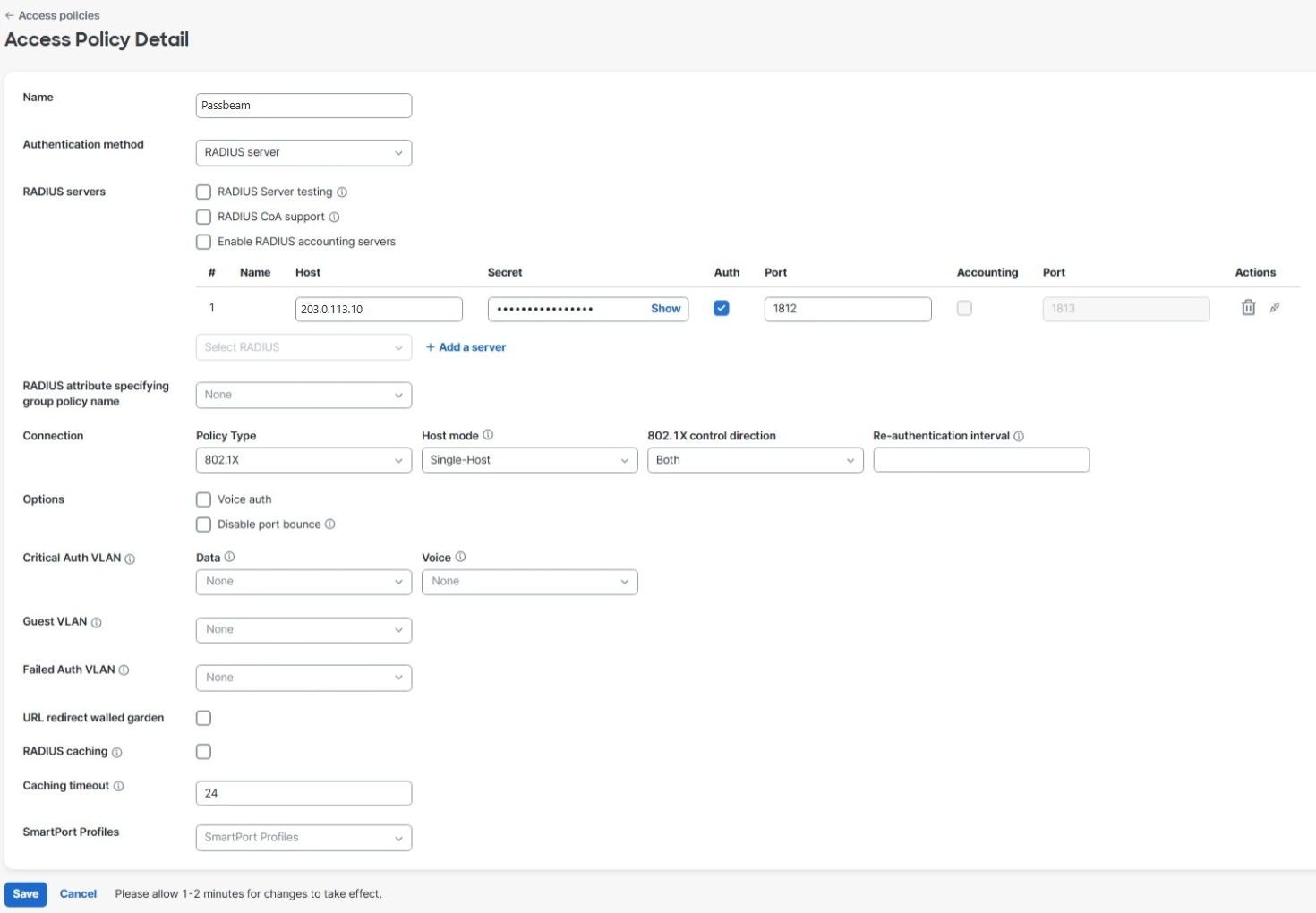
For accounting, tick Enable RADIUS accounting servers. Meraki gives each accounting server a row of its own: the same addresses, Accounting ticked, port 1813, the same secret.

Then apply the policy to ports: Switching → Switch ports, tick the ports, Edit, and set Access policy. If the port uses a SmartPorts profile, Meraki refuses with "Trunk ports do not support user-defined Access Policies", even while it shows Type: Access.
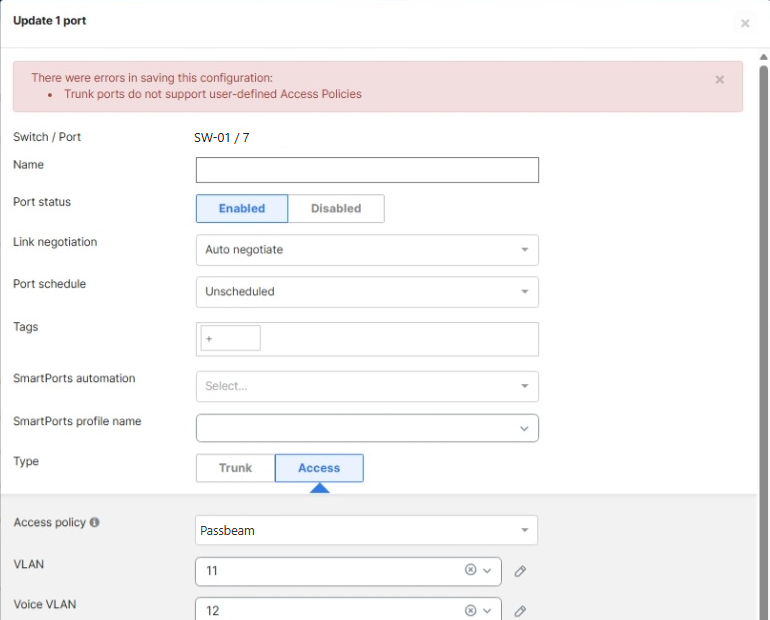
The fix is two saves: clear the SmartPorts profile and Update, then edit the port again and set the access policy. Don't edit the shared profile itself — that changes every port using it.
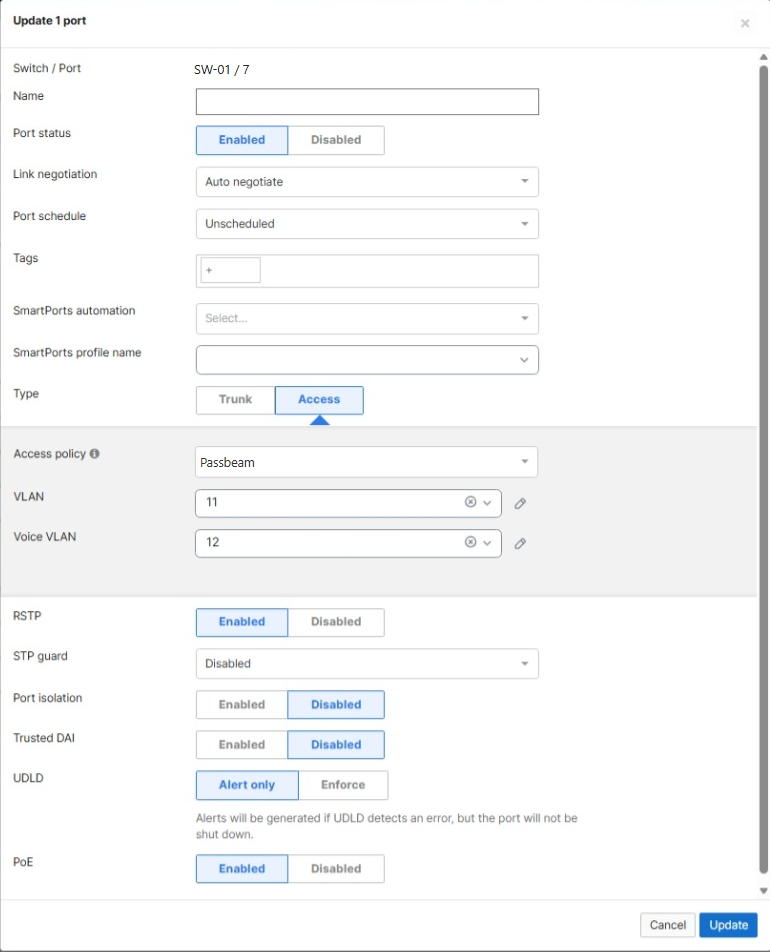
VLANs from Passbeam need nothing ticking on a Meraki switch. The port moves to the VLAN Passbeam sends, for that session, and goes back to its own VLAN afterwards.
To see what happened, go to Network-wide → Event log and show events for switches. A good authentication shows as Successful authentication (EAP success), a refused one as Failed authentication (EAP failure), and a VLAN from Passbeam as RADIUS dynamic VLAN assignment. Windows needs one more thing for wired, the same as on any make: see “Why is my Windows PC ignoring 802.1X on an Ethernet cable?”.

Related questions
- RADIUS or RADSec — which should I use?
- Is standard RADIUS safe enough to use?
- What address and port do I point my equipment at?
- A printer keeps failing with a TLS error. Why would I let a site accept older TLS?
- A camera or printer is still refused after I allowed older TLS. What now?
- Can Passbeam authenticate our VPN as well as the network?
- Our VPN concentrator serves several clients from one address. Will Passbeam tell them apart?
- Can I let only some people use the VPN, but everyone use the office network?
- Can I require a second factor on the VPN?
- Do you support PEAP, MSCHAPv2 or EAP-TTLS?
- Do you support RADIUS accounting?
- How do I disconnect a device that is already connected?
- What firewall rules does the connector need?
Still stuck? Ask us, or read the rest of the knowledge base.